The DOST-SEI, which stands for Department of Science and Technology – Science Education Institute, implements the Science and Technology (S&T) Undergraduate Scholarship Program for qualified Filipino students. The program provides financial assistance to students pursuing eligible science and technology-related undergraduate courses. It aims to support students in completing their college education and encourage the development of professionals in science, technology, and related fields. Applicants must meet the program’s qualifications and requirements to be considered for the scholarship.
Benefits
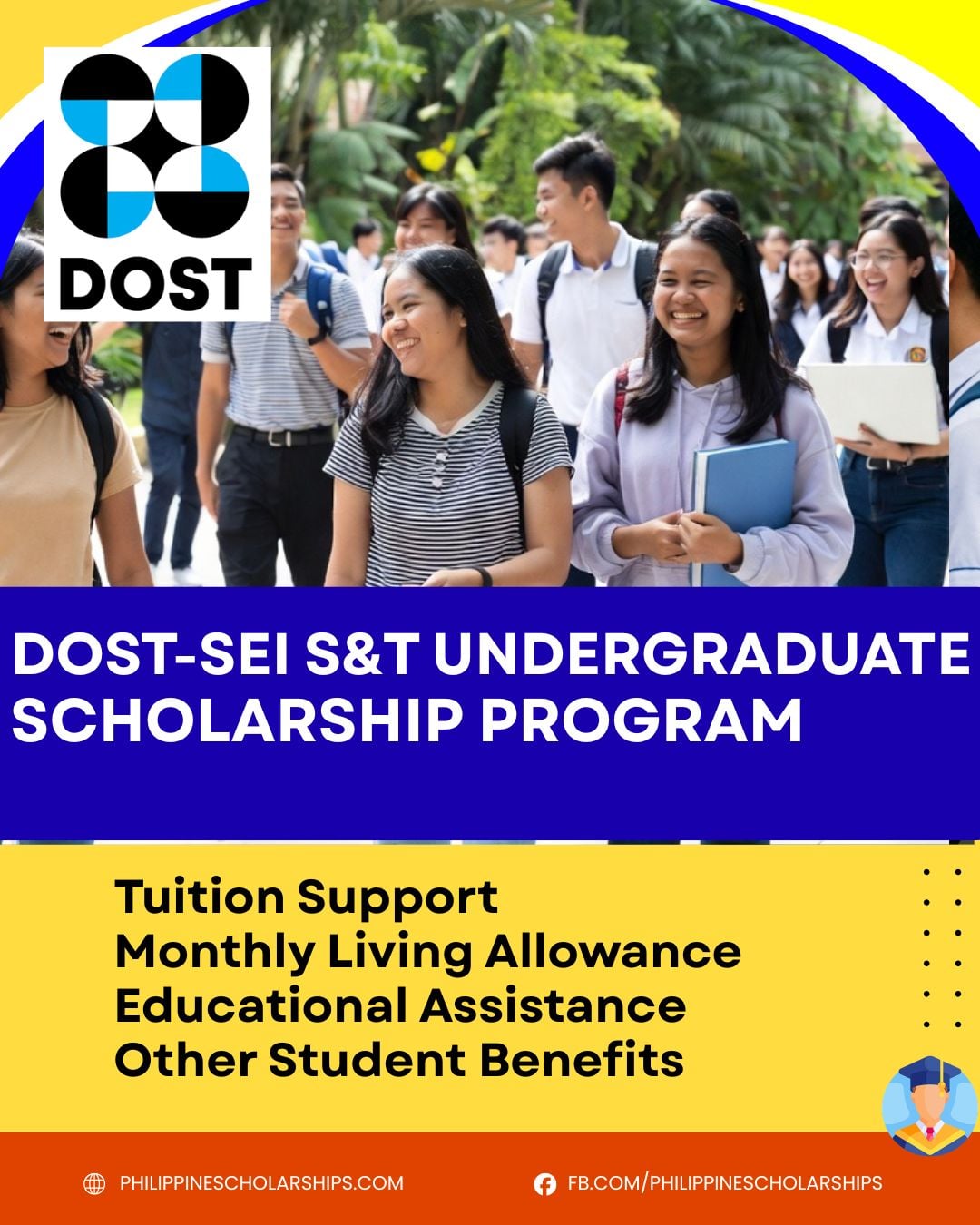
The DOST-SEI Science and Technology (S&T) Undergraduate Scholarship provides financial assistance to help qualified students complete their college education. Depending on the scholar’s eligibility and school type, the scholarship may cover tuition and other school fees, a monthly living allowance, learning materials and connectivity, transportation, thesis expenses, clothing allowance, graduation allowance, and group health and accident insurance.
Qualification
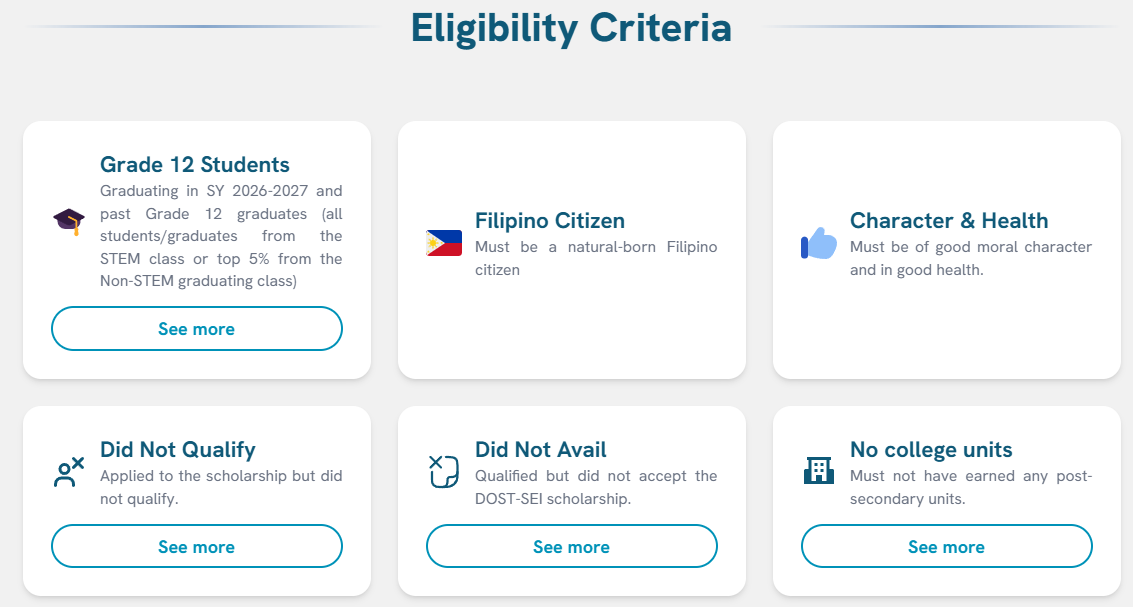
To qualify for the DOST-SEI S&T Undergraduate Scholarship, applicants must meet the following requirements:
Filipino citizen.
- Grade 12 student graduating in SY 2026–2027 or a Grade 12 graduate who completed the STEM strand or ranked in the top 5% of the graduating class if from the Non-STEM strand.
- Good moral character.
- Be in good health and physically fit to pursue the scholarship.
- Must not have earned any post-secondary (college) units.
- Previous applicants who did not qualify for the DOST-SEI Scholarship Examination may apply again, provided they still meet the eligibility requirements.
- Previous qualifiers who did not accept the DOST-SEI Scholarship award may also apply again, subject to the program’s guidelines.
Application Schedule
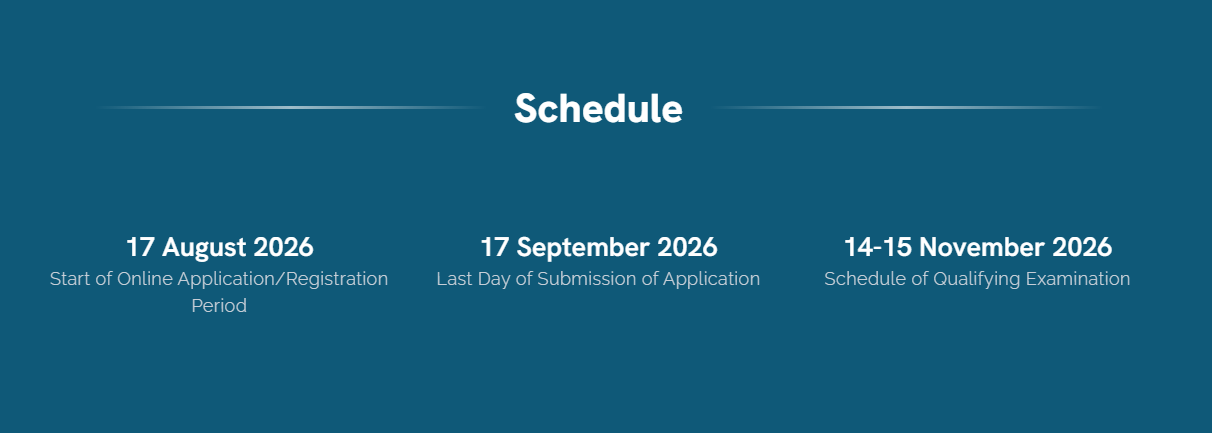
- 17 August 2026 – Start of Online Application/Registration Period
- 17 September 2026 – Last Day of Submission of Application
- 14-15 November 2026 – Schedule of Qualifying Examination
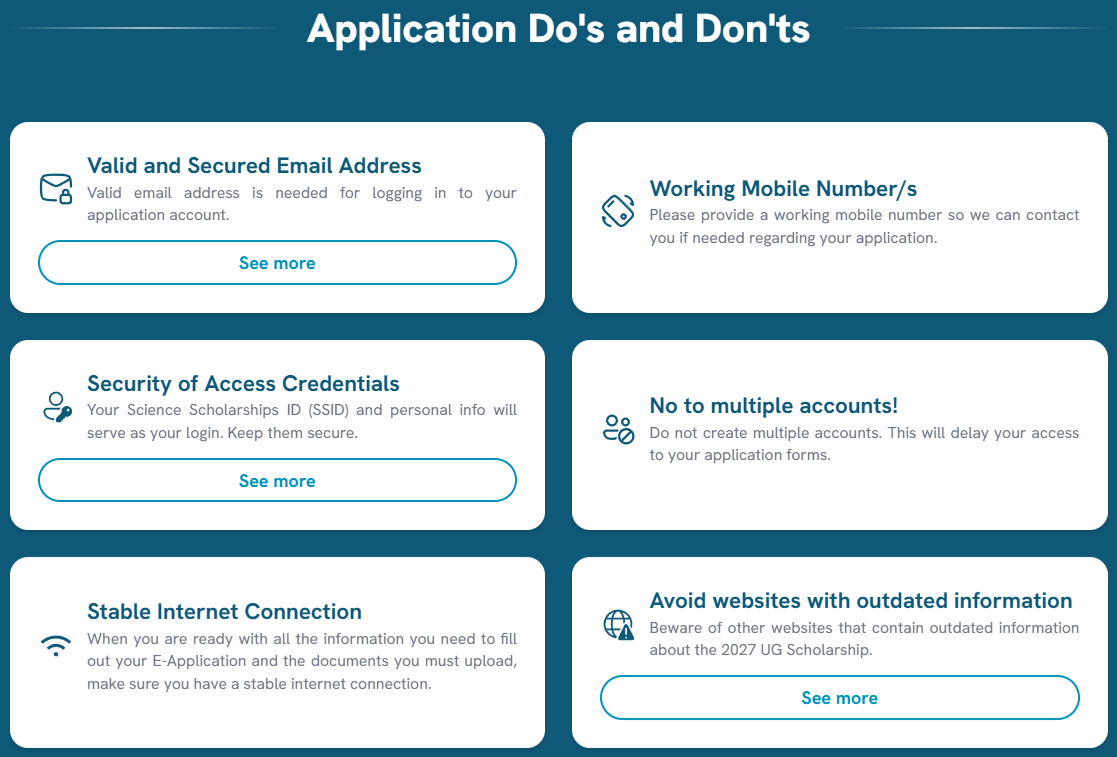
Before submitting your application, make sure to review the following Do’s and Don’ts. Following these important reminders will help you complete your application correctly and avoid unnecessary issues during the evaluation process.
Application Do’s and Don’ts
Do’s
- Use a valid and secure email address.
- Provide a working mobile number.
- Keep your Science Scholarships ID (SSID) and login credentials secure.
- Ensure you have a stable internet connection when completing your application and uploading documents.
Don’ts
- Do not create multiple application accounts.
- Do not rely on unofficial websites or outdated information about the scholarship program. Always refer to the official DOST-SEI announcements.
Additional Information
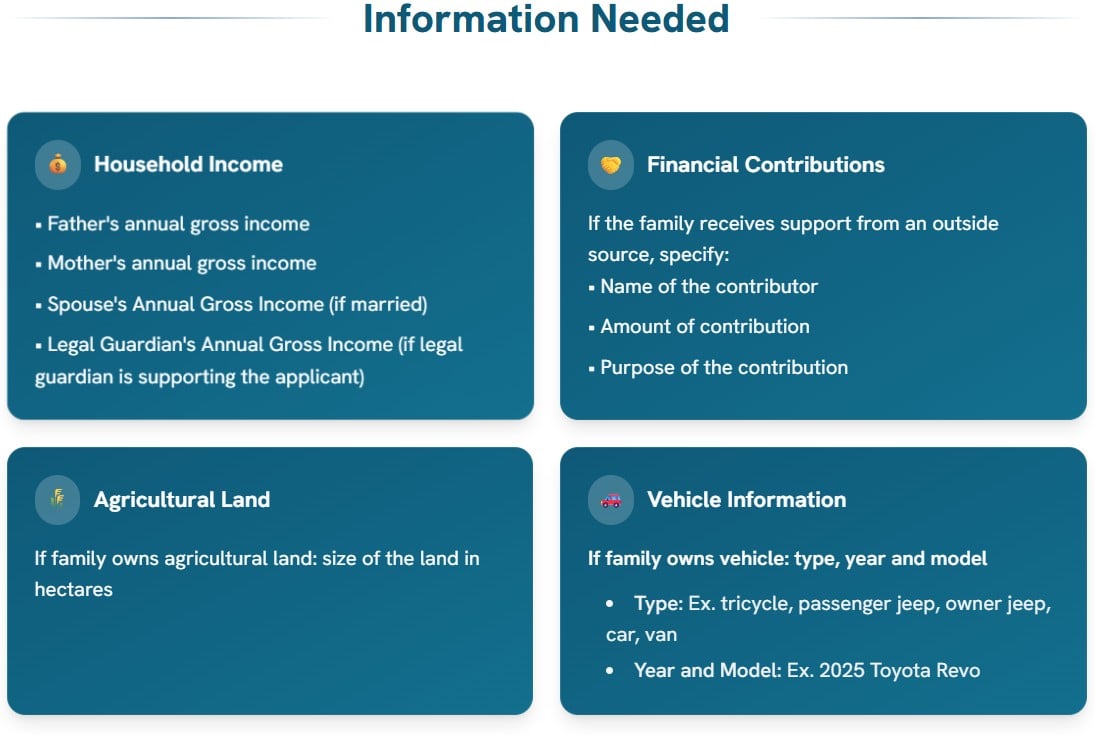
As part of the online application, applicants will be asked to provide additional information about their household, financial situation, and family background. Prepare these details in advance to make the application process faster and more convenient. See the information you need to prepare below.
Household Income
- Father’s annual gross income
- Mother’s annual gross income
- Spouse’s annual gross income (if married)
- Legal guardian’s annual gross income (if the applicant is supported by a legal guardian)
Financial Condition
If your family receives financial assistance from someone outside the household, be ready to provide:
- Name of the contributor
- Amount of financial contribution
- Purpose of the contribution
Agricultural Land
- Total size of the family’s agricultural land (in hectares), if applicable
Vehicle Information
If your family owns a vehicle, prepare the following details:
- Type of vehicle (e.g., tricycle, passenger jeep, owner jeep, car, or van)
- Year and model of the vehicle
Documents to Prepare
Before submitting your application, make sure you have all the required documents ready. Download the latest scholarship forms, complete them properly, and prepare clear digital copies for upload.
Important: Incomplete, incorrect, or improperly accomplished documents may result in your disqualification from the scholarship examination and the DOST-SEI Scholarship Program.
General Instructions
Follow these guidelines when preparing your documents:
- Download the latest Scholarship Forms C to J.
- Print each form on A4-size bond paper.
- Fill out every form completely and secure the required signatures from the authorized signatories.
- If you are submitting an alternative document instead of the prescribed form, ensure it contains all the required information. Missing details may lead to disqualification.
- Scan or take clear photos of each completed document.
- Save each file using the required filename format: Surname – Form (Letter) (e.g., DelaCruz – Form C).
- Upload every document to its corresponding section in the online application portal.
- Before submitting, use the Preview feature to verify that each file is correct, complete, and readable.
Scholarship Forms to Download
Prepare the following forms, depending on your eligibility:
- Form C – Certificate of Good Moral Character
- Form D – Certificate of Good Health
- Form E1 – Certification for Grade 12 STEM students
- Form E2 – Certification for Grade 12 Non-STEM students who belong to the top 5% of their graduating class
- Form E3 – Certification for Homeschool applicants
- Form E4 – Certification for Alternative Learning System (ALS) applicants
- Form F – Certificate of Residency
- Form G – Parent’s Certification (No Pending Immigration Application)
- Form H – DOST-SEI Scholarship Examination/Award Form
- Form I – Applicant’s Certification of No Post-Secondary Units
- Form J – Declaration signed by the applicant and parent/legal guardian
Additional Documentary Requirements
Aside from the scholarship forms, applicants must also prepare the following:
Recent Passport-Size Photo
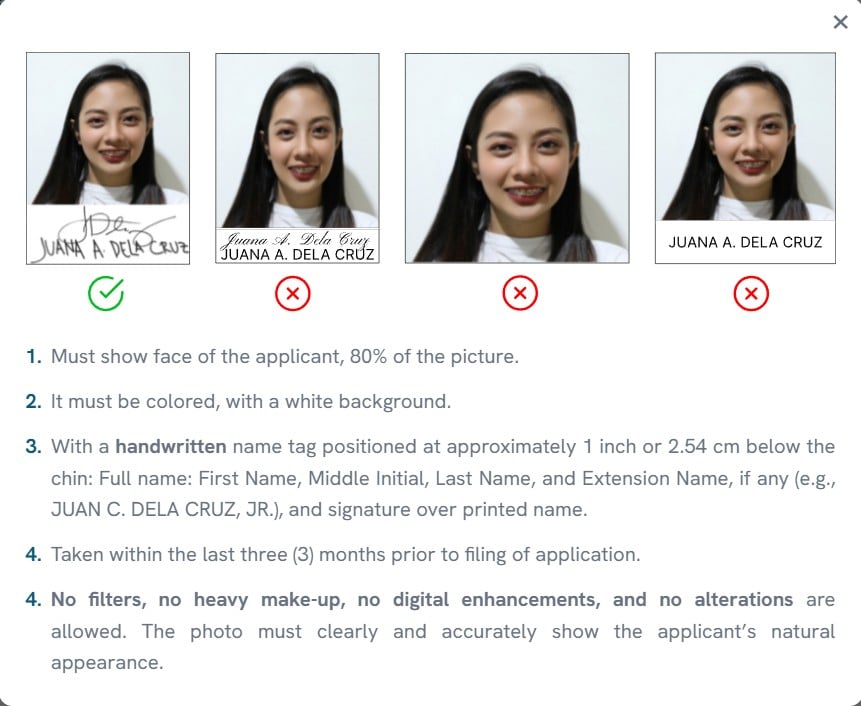
Your photo must meet these requirements:
- Passport size (4.5 cm × 3.5 cm or 1.8 in × 1.4 in)
- Colored photo with a plain white background
- Face should occupy approximately 80% of the photo
- Include a handwritten name tag below the chin showing your complete name and signature
- Taken within the last three (3) months
- No filters, heavy makeup, digital editing, or image enhancements
Example:
Birth Certificate
Submit a clear and readable copy of your birth certificate.
- PSA-issued or Municipal Civil Registry copies are accepted.
- If your birth certificate was issued abroad, include your Certificate of Re-acquisition/Retention of Philippine Citizenship, if applicable.
- Make sure the document submitted is your own birth certificate.
Proof of Income
Prepare a proof of income based on your parent or guardian’s employment status.
This may include documents for:
- Overseas Filipino Workers (OFWs)
- Private sector employees
- Government employees
- Household workers
- Religious workers
- Self-employed individuals
- Professionals
- Business owners
- Family-operated business workers
- Retirees receiving a pension
- Families with unemployed parents
Important: Only one valid proof of income is required for each applicable employment category. The document must be clear, signed (if applicable), and show the family’s annual gross income.
Notarized Affidavit of Guardianship
This document is required if:
- The applicant is financially supported by a guardian instead of a parent.
- Forms G, H, I, or J will be signed by someone other than the applicant’s parent or legal guardian.
Marriage Certificate (For Married Applicants Only)
Applicants who are married must submit a copy of their marriage certificate.
Step 1: Create Your Application Account
To begin your application, visit the scholarship portal and click the “Register Now” button. Fill out all the required information carefully and make sure every detail is accurate before submitting.
Registration Requirements
- Use a valid email address and mobile number that have never been used to register for this scholarship before.
- Only the following email providers are accepted:
- Gmail
- Outlook
- Yahoo
- iCloud
- Email addresses from schools (such as .edu.ph) and government agencies (such as .gov.ph) are not accepted.
After Registering
Once you complete your registration:
- Check your email for an Account Activation message.
- Click the activation link to activate your account.
- After activation, you will receive another email containing:
- Your Science Scholarships ID (SSID)
- Basic instructions for completing your application
- Log in to your account using either your SSID or registered email address, along with your birthdate for verification.
Important Reminders
- Your registered email address and mobile number will be permanently connected to your application account and cannot be used for another registration.
- Review all the information you entered before submitting to avoid problems with account verification or future login attempts.
You may view the Citizen’s Charter here: Click Here
Step 2: Complete the Application Form and Upload the Required Documents
After activating your account, log in and complete all the required sections of the online application form. You can answer the sections in any order and save your progress whenever needed. The application dashboard also includes a progress tracker so you can easily monitor which sections have been completed.
Complete the Following Sections
Make sure to fill out all of the required information, including:
- Student Information Questionnaire
- Household Information Questionnaire
- Personal Information
- Family Information
- Contact Details
- School Information
Upload the Required Documents
Prepare clear and readable scanned copies or photos of all the required documents before uploading them to the application portal.
If a document contains more than one page, such as a proof of income, combine all pages into a single PDF file before uploading.
File Upload Requirements
Before uploading your documents, keep these requirements in mind:
- Accepted file formats: PDF, JPG, JPEG, and PNG
- Only one file can be uploaded for each requirement.
- The maximum file size is 5MB per upload, although some documents may have different size limits as specified in the system.
Before Moving to the Next Step
- Use the Preview feature to check that each uploaded file is clear and correct.
- Once everything looks good, click Upload to save your documents.
- You may replace or update any uploaded file at any time before submitting your final application.
Step 3: Choose Your Preferred Test Center
As part of your application, you will be asked to select your preferred testing location for the qualifying examination.
When choosing a test center, make sure to review the school name and location carefully before confirming your selection. While your preferred test center will be taken into consideration, the final testing venue will be assigned by the scholarship program.
Before proceeding, double-check that you have selected the correct test center to help avoid any issues during the examination schedule.
Step 4: Review Your Application and Submit
Once you have completed all the required application sections and uploaded the necessary documents, the Submit button will appear on your application dashboard.
Before You Submit
Take a few minutes to review your application and make sure everything is complete.
- Verify that all the information you entered is correct.
- Check for any spelling mistakes or missing details.
- Ensure that all required documents have been uploaded successfully and are clear.
If everything is accurate, click the Submit button to proceed.
Accept the Terms and Conditions
After clicking Submit, you will be asked to read and agree to the application’s Terms and Conditions. Once you have accepted them, your application will be officially submitted for evaluation.
Summary
The DOST-SEI S&T Undergraduate Scholarship offers financial support to eligible students who want to pursue science and technology-related courses. Qualified scholars may receive various benefits to help with their educational expenses throughout their college journey.